
Sign in
fuelti.one08.tech
What you see
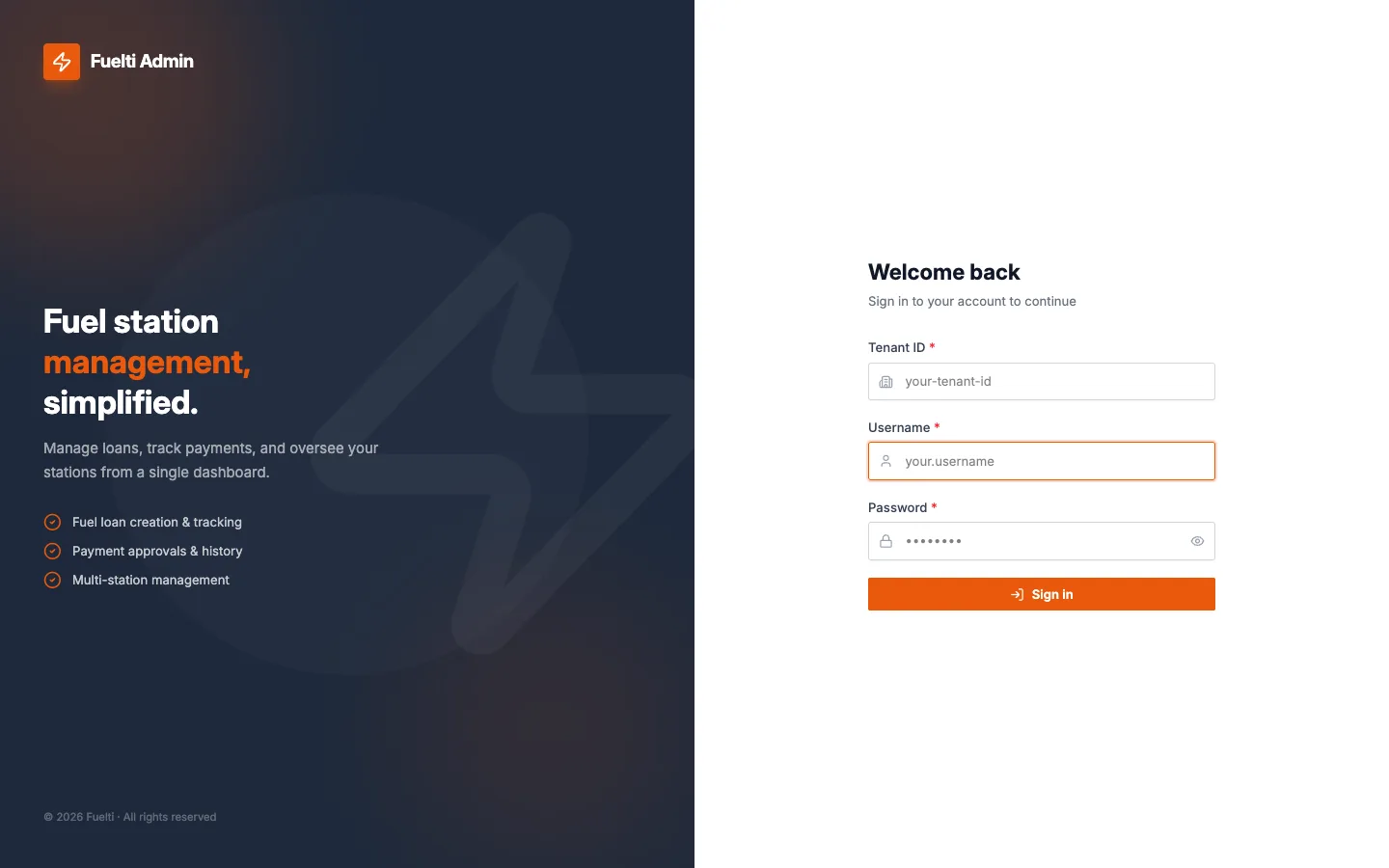
A page split in two. The left half is dark and carries the name Fuelti Admin, the line Fuel station management, simplified, and three ticked points: fuel loan creation and tracking, payment approvals and history, and multi-station management. The right half is plain white with a Welcome back heading and a short form: Tenant ID, Username and Password, with a control to show the password, above one orange Sign in button.
What you can do
- Enter the station's Tenant ID, your username and your password, then press Sign in.
- Show the password while typing to avoid mistakes.
- Land on the screen your role is meant to use: Daily Sales for managers and admins, the Service screen for dispensing staff.
Why it matters. The Tenant ID ties every sign-in to one station, so each station's records stay apart from every other station's.